TL;DR:
- User testing AI enterprise tools involves probabilistic methods to evaluate trust and workflow friction before deployment. Synthetic personas and simulation platforms accelerate testing, enabling quick identification of trust gaps and design issues. Integrating insights into existing workflows ensures ongoing improvement and compliance in enterprise AI deployments.
User testing AI-powered enterprise tools is defined as the practice of evaluating how real or simulated users interact with AI-driven software to surface usability failures, trust gaps, and workflow friction before deployment. Traditional usability testing methods built for deterministic software break down fast when applied to AI systems. 69% of product and research teams now integrate AI into some part of their research workflows, showing how quickly the field is moving. Platforms like Tessary, Arato, and UserTesting AI have emerged specifically to handle the non-deterministic, context-dependent behavior that makes AI enterprise tools uniquely difficult to test. Getting this right is the difference between an AI feature your teams actually use and one they quietly abandon.
AI enterprise tool usability testing is fundamentally different from testing conventional software. The core reason is that AI systems are non-deterministic. Identical inputs produce different outputs across sessions. That single fact invalidates the click-path scripts that UX researchers have relied on for two decades.
The distinct challenges break into four categories:
Pro Tip: Build a “trust calibration score” into every test session. Ask participants to rate their confidence in the AI’s answer before and after verifying it. The gap between those two scores is your most actionable usability metric.

The biggest practical shift in user experience testing for AI tools is the move from human recruits to synthetic personas. AI-driven usability testing can reduce 2–4 week research cycles to minutes by simulating thousands of user interactions without human participants. That is not a marginal efficiency gain. It changes what is possible inside a sprint cycle.
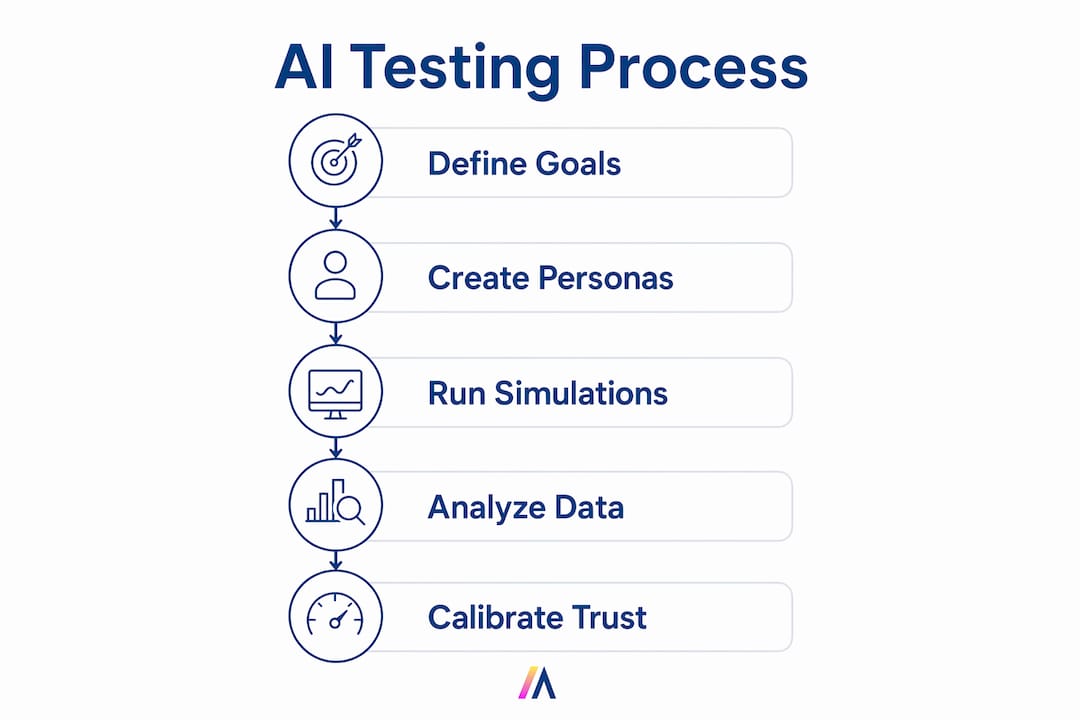
Platforms like Tessary and Arato configure synthetic personas by role, AI familiarity, query habits, and skepticism level. Those personas then run autonomous simulations across hundreds or thousands of scenarios. The output is not a raw session log. Structured, prioritized reports include failure patterns and risk density analyses suited for product, QA, and legal teams.
Here is how AI-driven simulation compares to traditional manual testing:
| Dimension | Manual testing | AI simulation platforms |
|---|---|---|
| Time to complete 100 sessions | 2–4 weeks | Hours |
| Participant recruiting cost | $50–$200 per recruit | Study-level flat cost |
| Scale per study | 5–20 participants | 1,000+ scenarios |
| Output format | Raw session recordings | Prioritized failure reports |
| Persona customization | Limited by recruit pool | Role, domain, skepticism level |
| Sprint compatibility | Rarely fits | Results within sprint window |
AI-moderated research platforms can scale qualitative interviews to 200–300 participants in 24 hours at $150–$200 per study. That cost structure makes broad, fast participation economically viable for enterprise teams running monthly release cycles.
Pro Tip: Run a small manual session alongside your first AI simulation to calibrate persona accuracy. If real users and synthetic personas surface the same top three failure patterns, your persona configuration is solid. If they diverge, adjust skepticism and domain expertise settings before scaling.
A repeatable methodology for enterprise software testing methods targeting AI features requires six concrete steps. Each step addresses a failure mode specific to AI-driven tools.
Set domain-aware personas with explicit trust calibration. Define each persona’s role, years of domain experience, prior AI tool exposure, and default skepticism level. A persona labeled “high skepticism, low AI familiarity” will interact with an AI recommendation engine very differently than one labeled “high AI familiarity, moderate skepticism.” Both are valid enterprise user types.
Establish control file baselines before testing. Swap live AI outputs for pre-recorded mock outputs in sessions where you are testing interface design rather than AI performance. This prevents AI variability from contaminating interface findings. Testing AI like a scientist means controlling variables one at a time.
Use think-aloud protocols to monitor latency perception. Ask participants to narrate their experience while waiting for AI responses. Silence during a three-second wait reads very differently than narrated frustration. Think-aloud prompts normalize latency perception and prevent participants from forming negative impressions based on wait time alone.
Observe error recovery and verification behaviors. Watch what users do immediately after receiving an AI answer. Do they accept it, verify it in a second source, or ignore it? Error recovery behavior is the clearest signal of trust calibration in action.
Treat AI hallucinations as behavioral data. When a participant acts on a hallucinated AI output, document the full sequence. What interface element led them to trust it? What would have prompted verification? Hallucinations are critical data points for design iteration, not just model improvement tickets.
Iterate within sprint cycles. Testing a Figma flow on Monday yields results by Wednesday with AI simulation platforms. That timeline fits inside a standard two-week sprint. Teams that wait for quarterly research cycles lose the compounding benefit of rapid iteration.
For AI use case validation before full deployment, combine steps 2 and 5 into a dedicated “hallucination audit” session. Run 50 synthetic persona interactions against your AI feature, flag every instance where the persona accepted a wrong answer, and map those instances to specific interface elements. That map becomes your redesign priority list.
Embedding AI testing insights into existing product workflows is where most enterprise teams lose momentum. The research is solid. The findings are clear. Then they sit in a Confluence page for six weeks while the sprint moves on. Avoiding that outcome requires deliberate integration design.
The core principle is that context switching leads to feature abandonment. This applies to the AI features you are testing and to the testing tools themselves. If your UX research platform requires researchers to leave Jira, Slack, or their existing design tools to access findings, adoption drops fast.
Practical integration approaches that work in enterprise environments:
For teams building enterprise AI governance frameworks, usability testing data is also compliance data. Documented evidence that your team tested AI outputs for accuracy and user trust supports audit trails required under emerging AI regulations.
Effective user testing for AI-powered enterprise tools requires probabilistic methods, domain-aware personas, and sprint-compatible simulation platforms that surface trust gaps and workflow friction before deployment.
| Point | Details |
|---|---|
| Use probabilistic testing | Replace click-path scripts with behavioral pattern testing using control file baselines. |
| Prioritize trust calibration | Measure user decisions between AI recommendations and human judgment as a core usability metric. |
| Deploy AI simulation platforms | Tools like Tessary and Arato run 1,000+ scenarios in hours, fitting results inside sprint cycles. |
| Treat hallucinations as design data | Map accepted wrong answers to specific interface elements to build your redesign priority list. |
| Integrate findings into existing workflows | Push structured reports into Jira and Slack to prevent findings from stalling in documentation. |
The teams that get AI usability testing right share one trait: they stopped testing whether the AI works and started testing whether users trust it correctly. That is a fundamentally different question.
I have watched product teams run technically clean usability studies on AI features and walk away with misleading results. Their participants completed tasks successfully. Their satisfaction scores were fine. But six months after launch, adoption was flat. The problem was over-trust. Users were accepting AI recommendations without verification in situations where they should have pushed back. The usability test never caught it because the test script never asked participants to evaluate the AI’s confidence level.
Behavioral testing over click-path scripts is not just a methodology preference. It is the only way to catch the failure mode that actually kills enterprise AI adoption. Dashboard-driven interfaces that surface AI confidence levels and source citations give users the context they need to calibrate trust. Testing whether users actually use that context is the research question worth asking.
The rapid AI persona testing platforms now available free up research capacity for exactly this kind of deeper behavioral work. Let Tessary or Arato run the volume. Use your human research hours to probe the trust calibration edge cases that synthetic personas cannot fully replicate. That division of labor is where enterprise UX research gets genuinely better, not just faster.
— Matthieu
Enterprise teams running AI usability programs need a platform that connects testing insights to real operational data without creating new security risks.
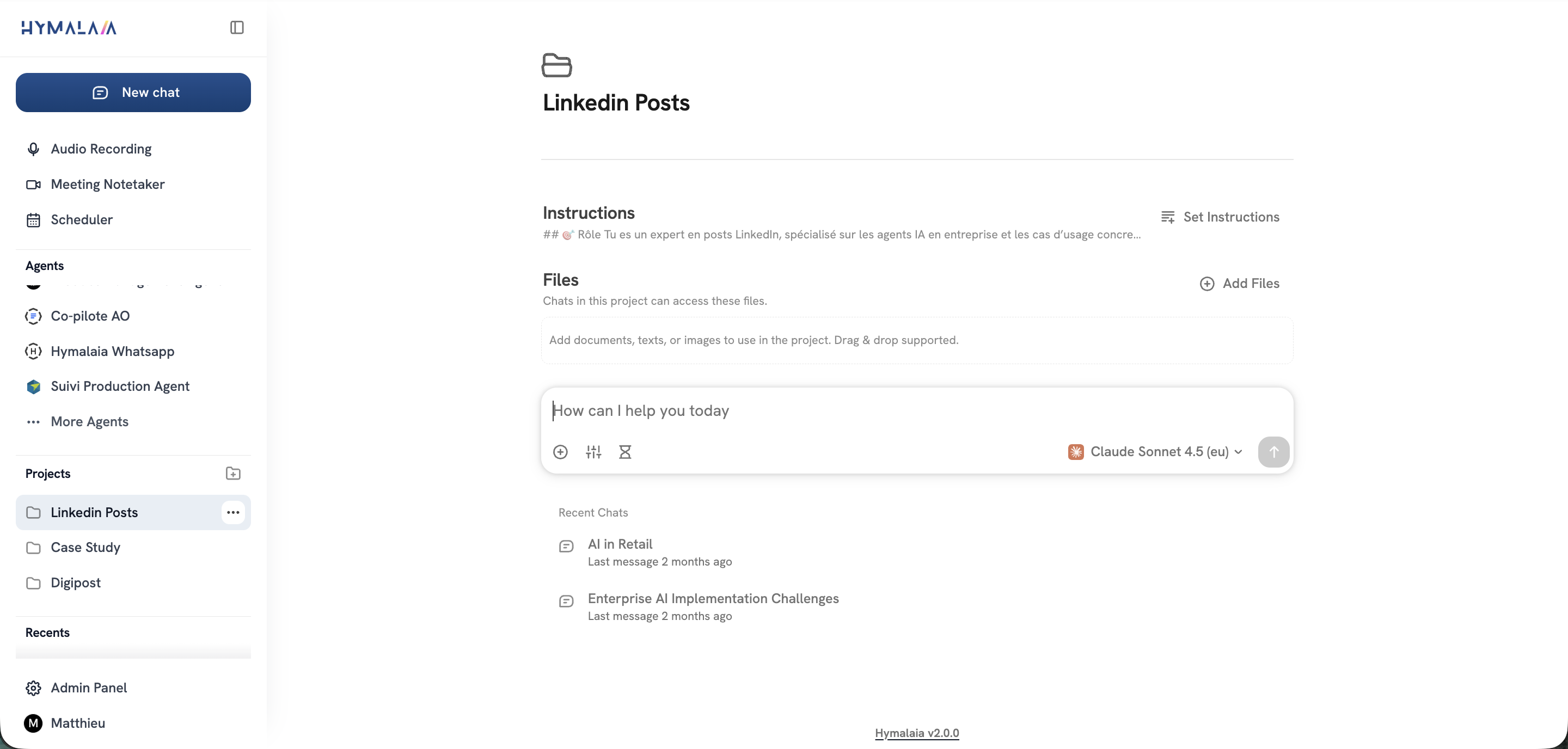
Hymalaia’s enterprise AI platform features include retrieval-augmented generation (RAG), autonomous AI agents, and connections to over 50 enterprise tools including Salesforce, Slack, Google Workspace, and SharePoint. Teams use Hymalaia to run AI-powered search and analysis inside protected, GDPR-compliant environments with role-based access controls. That infrastructure supports safe AI experimentation at the scale enterprise usability testing requires. Product managers and UX researchers can surface behavioral insights, route findings to the right teams, and act on data without leaving their existing workflows.
AI systems produce different outputs for identical inputs, making traditional script-based testing unreliable. AI usability testing uses probabilistic methods, control file baselines, and behavioral observation to account for that variability.
Platforms like Tessary can simulate 1,000+ user scenarios in hours. That compresses traditional 2–4 week research cycles into a timeframe that fits inside a single sprint.
Trust calibration measures whether users place the right level of confidence in AI recommendations. Over-trust and under-trust are both usability failures, and behavioral testing is the primary method for detecting them.
Hallucinations are both. From a model perspective, they are errors to fix. From a UX perspective, they are data points that reveal which interface elements lead users to accept wrong answers without verification.
Structured reports from platforms like Arato map directly to Jira ticket formats. Automating that export routes findings into existing backlogs without requiring researchers to manage a separate tracking system.
