TL;DR:
- Enterprise teams face numerous conversational AI options and must carefully evaluate use cases based on value and feasibility to achieve measurable impact. Successful deployments treat AI as ongoing operational systems, emphasizing integration, ownership, and continuous measurement rather than one-time projects. Starting with high-value, easy-to-integrate use cases like case summarization can build momentum and demonstrate quick wins to stakeholders.
Enterprise teams are drowning in options. Dozens of conversational AI vendors promise transformation, yet most organizations struggle to identify which use cases will actually move the needle on efficiency, customer experience, and revenue. The real challenge is not the technology itself. It is knowing where to start, how to evaluate fit, and how to sequence deployments so each win builds momentum for the next. This guide cuts through the noise and gives you a structured, practical view of the highest-impact conversational AI use cases across sales, support, and operations.
| Point | Details |
|---|---|
| Prioritize by value and feasibility | Choose conversational AI use cases that deliver real impact and are practical to deploy. |
| Start with likely wins | Focus first on proven use cases like case summarization and agent assist tools for quick results. |
| Plan integration early | Seamless CRM and workflow system integration is key to realizing business benefits. |
| Monitor and adapt | Treat every use case as a living product, with continuous monitoring, measurement, and improvement. |
Choosing the wrong use case first is one of the most common and costly mistakes enterprise teams make. You deploy, you wait, and then you realize the problem you picked was either too hard to integrate or too small to justify the investment. A disciplined evaluation framework prevents that.
Customer-service conversational AI use cases are best assessed along two axes: business value and technical feasibility. Gartner frames this as a two-by-two matrix that groups use cases into three categories: likely wins, calculated risks, and marginal gains. This framing is powerful because it forces your team to be honest about both the upside and the difficulty of each option before committing resources.
Here is how to apply that framework in practice:
Gartner also recommends treating AI agents as product-like operational systems rather than one-time projects. That means assigning ownership, defining success metrics upfront, and planning for continuous iteration after launch. This product mindset is what separates teams that sustain AI value from those that launch and stagnate.
“The question is never just ‘can we build this?’ It is ‘does this solve a real bottleneck, and can we measure the outcome?’ Without that discipline, even technically successful deployments fail to generate business value.”
When evaluating use cases, also consider your existing data infrastructure. Conversational AI performs best when it connects to live CRM records, knowledge bases, and ticketing systems. Strong AI systems security is equally non-negotiable, especially when agents access sensitive customer or operational data.
Pro Tip: Start your evaluation by mapping observed workflow bottlenecks, not aspirational use cases. If your support team spends 40% of their time summarizing cases before escalating, that is your first deployment target.
With evaluation criteria in hand, here is where the greatest ROI and momentum typically start. These are the use cases that consistently deliver measurable results across sales, support, and operations teams in large organizations.

1. Virtual assistants and agent assist tools Agent assist tools sit alongside human agents in real time, surfacing relevant knowledge articles, suggesting next-best responses, and flagging compliance risks. They reduce average handle time significantly and accelerate onboarding for new agents. Unlike full automation, agent assist preserves human judgment while eliminating the manual lookup work that slows every interaction.
2. Case summarization When a support ticket escalates or changes hands, agents waste minutes reading through long conversation threads. Conversational AI can generate accurate, structured summaries in seconds. This is consistently ranked among the top customer-service conversational AI use cases because it is both high-value and technically straightforward to deploy.
3. Automated ticket routing Natural language processing analyzes incoming tickets and routes them to the right team or agent based on intent, sentiment, and topic. Routing accuracy improves dramatically compared to keyword-based rules, and misrouted tickets drop. For large support operations handling thousands of tickets daily, this translates directly into faster resolution times and lower operational costs.
4. Customer correspondence generation AI drafts personalized email or chat responses based on case context and customer history. Agents review and send, reducing drafting time by 60 to 80 percent in many deployments. This use case carries more integration complexity, which is why Gartner classifies it as a calculated risk alongside real-time translation, but the payoff justifies the effort for high-volume teams.
5. Sentiment analysis Real-time sentiment scoring during customer conversations allows supervisors to intervene before situations escalate. It also feeds aggregate analytics that help product and CX teams identify systemic issues. Sentiment analysis is a strong complement to agent assist tools and adds measurable value to quality assurance workflows.
6. Real-time translation For global enterprises, real-time translation removes language barriers from customer interactions without requiring multilingual staffing. The feasibility challenge here is latency and accuracy in specialized domains, but modern large language models have dramatically improved both.
Understanding what conversational AI actually means in practice helps teams set realistic expectations and communicate value to stakeholders.
| Use case | Business value | Feasibility | Ideal team | Integration need |
|---|---|---|---|---|
| Case summarization | High | High | Support | CRM, ticketing |
| Agent assist | High | High | Support, Sales | CRM, knowledge base |
| Ticket routing | High | High | Support, Ops | Ticketing, NLP pipeline |
| Correspondence generation | High | Medium | Support, Sales | CRM, email/chat |
| Sentiment analysis | Medium | High | Support, CX | Telephony, ticketing |
| Real-time translation | High | Medium | Support, Global | Telephony, chat APIs |
Explore enterprise AI features to see how these use cases map to platform capabilities.
Pro Tip: If you need a fast win to build executive support, start with case summarization. It requires minimal integration, delivers immediate time savings, and produces results you can measure within the first two weeks of deployment.
Once you have picked your highest-value use cases, the next phase is integration for operational impact. A conversational AI tool that sits outside your core systems is a demo, not a deployment. Real value comes when AI agents read from and write to the systems your teams already use every day.
Forrester’s research on conversational AI in contact centers highlights a critical point: success depends on clean routing and safe execution when conversations require transactions or multi-step workflows. Integration into existing contact-center IT environments, including APIs and SDKs, is not optional. It is the foundation of reliable performance at scale.
Here is a best-practice integration workflow for enterprise teams:
“The organizations that scale conversational AI successfully are not the ones with the most sophisticated models. They are the ones that invested in clean data pipelines, robust API connectivity, and disciplined change management from the start.”
AI-powered workflow automation becomes genuinely transformative when it is wired into the operational fabric of your organization rather than layered on top of it.
Hymalaia’s contact center integration capabilities are designed specifically for this kind of deep, secure connectivity across enterprise environments.
Pro Tip: Resist the temptation to integrate everything at once. A focused pilot on one channel or team generates the clean performance data you need to justify broader rollout and avoid costly rework.
With fundamentals in place, let us consider what is next on the horizon and how to spot hype cycles versus sustainable value. Several emerging use cases show genuine promise, but they also carry risks that teams need to evaluate honestly before committing.
Vertical-specific assistants Healthcare, financial services, and legal teams are deploying conversational AI tuned to their domain vocabulary and compliance requirements. A benefits enrollment assistant that understands insurance terminology, or a compliance alert bot that monitors regulatory changes in real time, can deliver outsized value in the right context. The risk is that vertical specificity increases training complexity and maintenance burden.
Niche onboarding flows Conversational AI can guide new employees or customers through complex onboarding sequences, answering questions contextually and adapting to individual progress. This works well when the knowledge base is well-structured and the onboarding path is clearly defined. When it is not, the AI produces inconsistent or confusing guidance that erodes trust.
Proactive compliance alerts Agents that monitor communications or transactions for compliance risks and surface alerts in real time are gaining traction in regulated industries. The value is clear. The feasibility challenge is the precision required: false positives create alert fatigue, and false negatives create liability.
Forrester’s research on conversational banking shows that consumer satisfaction is high when conversational AI tools perform well and meet expectations, but adoption depends heavily on that performance consistency. A tool that works 85% of the time in a niche context may actually damage trust more than no tool at all.
“Innovation in conversational AI is genuinely exciting. But the teams that win are the ones who ask ‘what happens when this fails?’ before they ask ‘what happens when this works?’”
Explore AI agent platform capabilities to see how Hymalaia supports both proven and emerging use cases with the governance guardrails enterprises need. For additional context on how AI chatbots are evolving across different deployment contexts, the landscape is shifting fast.
Now, let us distill everything into a quick-reference comparison for your planning sessions. Use this matrix to anchor stakeholder conversations and prioritization decisions.
Gartner’s use case grouping by business value and feasibility provides the foundation for this comparison.
| Use case | Value | Feasibility | Gartner category | Ideal team | Integration complexity |
|---|---|---|---|---|---|
| Case summarization | High | High | Likely win | Support | Low |
| Agent assist | High | High | Likely win | Support, Sales | Medium |
| Ticket routing | High | High | Likely win | Support, Ops | Medium |
| Correspondence generation | High | Medium | Calculated risk | Support, Sales | High |
| Real-time translation | High | Medium | Calculated risk | Global support | High |
| Sentiment analysis | Medium | High | Likely win | CX, Support | Medium |
| Vertical assistants | High | Low-Medium | Calculated risk | Specialized teams | High |
| Compliance alerts | High | Low | Calculated risk | Legal, Finance | Very high |
| Onboarding bots | Medium | Medium | Marginal gain | HR, Ops | Medium |
This matrix gives you a fast, defensible framework for presenting options to leadership. Pair it with your specific integration readiness assessment to build a deployment roadmap that is both ambitious and realistic. Review AI agent features to map these categories to concrete platform capabilities.
Most articles about conversational AI use cases stop at the list. They tell you what to build but not how to sustain it. That is the gap where most enterprise deployments quietly fail.
The teams that consistently extract value from conversational AI share one trait: they treat each use case as a living operational system, not a launch event. They assign product owners, track outcome metrics weekly, and iterate based on real usage data. Gartner’s guidance on AI agents reinforces this directly: prioritize by value and feasibility, connect to existing CRM and knowledge sources, and instrument for continuous monitoring and observability. That is not a deployment checklist. It is an operating model.
The second thing most guides miss is the integration ecosystem. Teams obsess over conversation quality and model accuracy while underinvesting in the data pipelines, API reliability, and access controls that determine whether the AI actually performs in production. A beautifully designed agent that cannot reliably read from your CRM or write to your ticketing system is a prototype, not a product.
Finally, measurement discipline separates leaders from laggards. Define your success metrics before you deploy: handle time reduction, routing accuracy, agent satisfaction scores, escalation rates. Review them on a cadence. When metrics drift, treat it as a signal to investigate and improve, not a reason to abandon the use case. Explore platform capabilities to see how built-in observability and analytics support this ongoing measurement discipline.
The enterprises winning with conversational AI are not the ones with the most advanced models. They are the ones with the clearest ownership, the cleanest integrations, and the most disciplined approach to continuous improvement.
Moving from a prioritized use case list to a live, integrated deployment is where complexity spikes. You need the right platform, the right integrations, and often the right guidance to avoid the pitfalls that slow most enterprise AI programs.
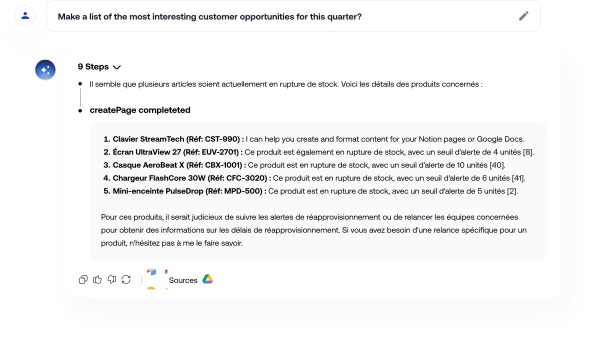
The Hymalaia enterprise AI platform is built specifically for this challenge. It connects to over 50 enterprise tools including Salesforce, Slack, Google Workspace, and SharePoint, so your conversational AI agents are always working with live, accurate data. With built-in RAG, role-based access controls, and GDPR-compliant governance, you get the security and reliability enterprise deployments demand. Review full platform features to see how each capability maps to your highest-priority use cases, or connect with our team through consulting and training to build a deployment roadmap tailored to your organization’s specific needs and existing stack.
Case summarization and virtual assistants are among the most common and valuable first deployments because they deliver fast, measurable time savings with relatively low integration complexity.
Teams should prioritize by value and feasibility, treating each use case as a product-like operational system with defined ownership, success metrics, and a plan for continuous iteration after launch.
Integration into contact-center environments and APIs/SDKs is often the hardest part: clean routing logic, reliable data pipelines, and robust API connectivity are essential for consistent performance at scale.
Consumer satisfaction is high when conversational AI tools perform consistently and meet user expectations, but satisfaction drops sharply when performance is inconsistent or the tool fails to handle edge cases reliably.
