La plateforme d'IA agentique qui transforme
vos données métiers en actions
La plateforme IA d'entreprise où les équipes créent et déploient des agents IA
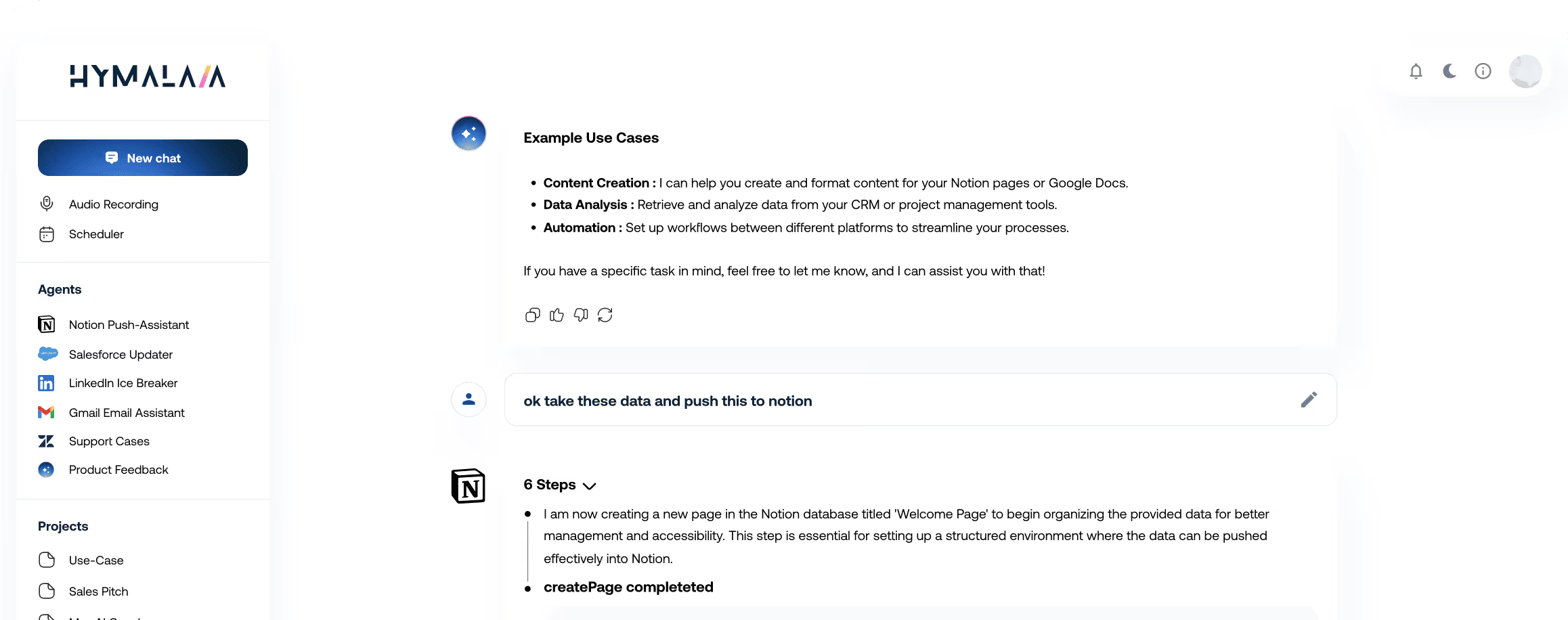
La plateforme IA d'entreprise où les équipes créent et déploient des agents IA






Accélérez vos décisions : nos agents IA unifient vos systèmes,
identifient les opportunités et automatisent votre organisation.
Accédez instantanément à tous vos outils métier. Notre plateforme d'agents IA s'appuie sur un RAG avancé et plus de 50 connecteurs (Salesforce, Slack, Google Workspace, etc.) pour des réponses précises et ancrées dans vos données réelles, loin des approximations d'une IA générique.


Analysez vos KPIs et données complexes. Bénéficiez de recommandations pilotées par l'IA. Démocratisez l'analyse de données et donnez à vos équipes les moyens d'agir à la vitesse de l'IA.
Automatisez vos agents IA pour exécuter des tâches multi-plateformes et synchroniser vos données en temps réel entre vos CRM, ERP et outils métier. Rendez vos équipes opérationnelles 24/7, où qu'elles soient.
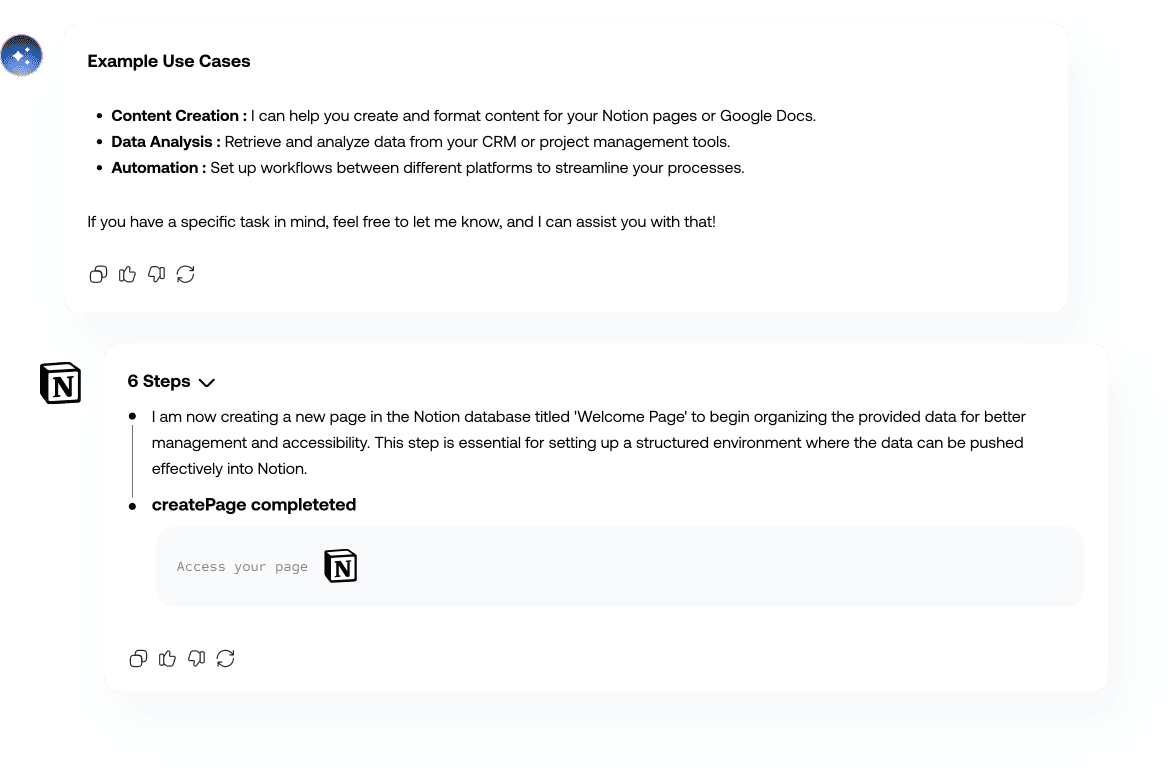







Hymalaia connecte plus de 50 outils natifs, API et bases de données au sein d'une plateforme agentique unifiée.
Accédez instantanément à vos données Salesforce, Slack, Google Workspace et plus encore.





%201.svg)


%201.svg)

%201.svg)


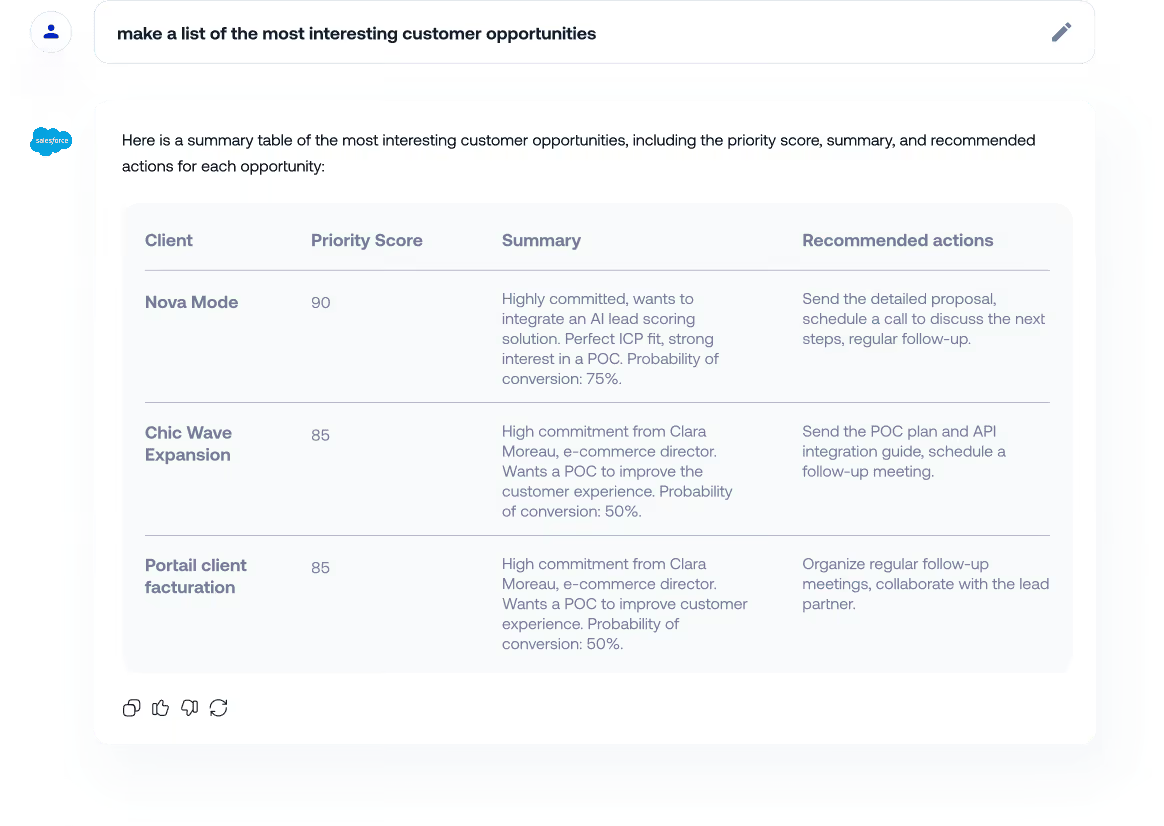
Identifiez et priorisez vos opportunités en temps réel pour accélérer la clôture de vos deals.


Automatisez la collecte des données et l'assemblage de vos RFP.


Planifiez et optimisez vos relances client grâce à l'historique de vos échanges.


Analysez vos prospects, ciblez leurs enjeux et personnalisez vos approches pour augmenter vos conversions.

Accélérez vos ventes : vue client à 360°, identification des opportunités et automatisation des tâches.
Exemples de cas d'usage.
Contactez-nous pour en découvrir davantage.

Combine multiple reports into a single beautiful dashboard.

Don’t worry about the data, always be synchronized
Catégorisez, priorisez et orientez automatiquement vos tickets afin de réduire les temps de réponse.


Offrez un accès instantané aux informations produit afin d’accélérer la résolution des tickets.

Fluidifiez les parcours d’onboarding client grâce à des guides et à des réponses automatisées.

Identifiez les clients à risque et améliorez la rétention en analysant l’engagement et les données d’usage.

Accélérez la résolution des tickets et réduisez l'attrition
grâce à des agents qui automatisent le routage, optimisent
les réponses client et anticipent les risques.
Exemples de cas d'usage.
Contactez-nous pour en découvrir davantage.
Combine multiple reports into a single beautiful dashboard.
Don’t worry about the data, always be synchronized
Fluidifiez les parcours d’onboarding client grâce à des guides et à des réponses automatisées.
Centralisez les informations produit et offrez un point d’entrée unique aux informations produit.

Bénéficiez d’une visibilité en temps réel sur les niveaux de stock pour éviter la survente et guider les échanges avec les clients.


Offrez un accès instantané aux informations produit afin d’accélérer la résolution des tickets.
Nos agents font le lien entre vos équipes
et automatisent vos toutes vos opérations
Exemples de cas d'usage.
Contactez-nous pour en découvrir davantage.
Combine multiple reports into a single beautiful dashboard.
Don’t worry about the data, always be synchronized
Générez des spécifications produit et tickets à partir des conversations clients.


Générez des user stories structurées pour accélérer vos sprint.
Centralisez les informations produit pour toutes vos équipes.
Générez automatiquement vos release produits à destination de vos utilisateurs et vos équipes internes.

Accélérez votre Time-to-Market. Nos agents automatisent
la documentation, centralisent les feedbacks, structurent
le backlog et génèrent vos Release Notes.
Exemples de cas d'usage.
Contactez-nous pour en découvrir davantage.
Combine multiple reports into a single beautiful dashboard.
Don’t worry about the data, always be synchronized
Générez automatiquement des revues de performance hebdomadaires basées.

Surveillez les activités de vos concurrents et les tendances du marché.
Regroupez vos indicateurs de performance et de campagnes pour piloter vos décisions.
Identifiez les clients à risque et améliorez la rétention en analysant l’engagement et les données d’usage.
Prenez des décisions stratégiques grâce à une intelligence
unifiée qui agrège les données de performance, les analyses
concurrentielles et les signaux clients.
Exemples de cas d'usage.
Contactez-nous pour en découvrir davantage.
Combine multiple reports into a single beautiful dashboard.
Don’t worry about the data, always be synchronized

Depuis que nos agents IA sont connectés à Notion, Slack et Zendesk, l’impact est immédiat. Nos équipes ne cherchent plus : elles accèdent instantanément à des réponses fiables, fondées sur nos données réelles. Le support et l’onboarding ont gagné en vitesse et en cohérence, réduisant ainsi les sollicitations internes, les erreurs et les délais de réponse client.


Avant Hymalaia, la recherche d'informations sectorielles était constante. Aujourd'hui, nous recevons automatiquement les dernières tendances du marché. Cela nous permet de fournir des données actualisées plus rapidement à nos clients et d'anticiper leurs besoins avec plus de précision.


Hymalaia unifie nos bases de données, SharePoint et notre CRM en un seul point d'accès. Plus aucune perte de temps : l'information est disponible instantanément. Cette centralisation aide nos équipes internes, optimise notre service client et génère des gains de productivité concrets.

Close more deals faster with AI agents that unify customer intelligence,
surface insights, and automate tasks.
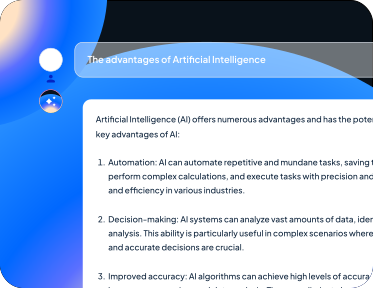

Track and prioritize client opportunities in real-time to accelerate deal closure


Reduce proposal response time by automating content retrieval and document assembly.


Provide instant visibility into stock levels to prevent overselling and inform customer conversations.
Generate weekly performance reviews automatically from sales data stored in your datawarehouse to identify trends and coaching opportunities.


Self-service data analytics software that lets you create
visually appealing data visualizations and insightful
dashboards in minutes.
Combine multiple reports into a single beautiful dashboard.
Don’t worry about the data, always be synchronized
La plateforme d’IA qui permet aux entreprises de construire et de déployer des agents IA pour toutes leurs équipes, à l’échelle.
Sécurisez votre plateforme d'agents IA avec un stockage chiffré AES-256 et une conformité RGPD native.
Gérez les accès par rôles et définissez des règles de sécurité afin de prévenir toute fuite de données et garantir un usage conforme.
Pilotez qui agit, comment l'IA opère et quels modèles sont utilisés grâce à un RBAC granulaire calqué sur votre organisation.
Optez pour une infrastructure cloud, on-premise ou hybride via Kubernetes. Notre architecture conteneurisée s'ajuste à vos volumes de données et vos contraintes les plus exigeants.
Connectez vos sources de données et vos outils métier en un clic grâce à plus de 50 connecteurs natifs.
Intégration native SSO, RBAC et OIDC/SAML. Chaque interaction est tracée dans des registres d'audit chiffrés.
Posez n’importe quelle question à votre datawarehouse en langage naturel.
Efficacité de l’équipe commerciale grâce à l’exploitation des notes et transcriptions des réunions.
Économisé par an et par employé sur les recherches d’informations clés et produits.
Un assistant IA et un agent IA ne jouent pas le même rôle au sein de votre organisation.
Qu'est-ce qu'un assistant IA ?
Un assistant se concentre principalement sur la conversation et l'accès à l'information
- Il répond aux questions en langage naturel.
- Il recherche des informations dans vos données (FAQ, base de connaissances, CRM, documentation, etc.).
- Il aide à rédiger des e-mails, des synthèses, des tickets, des rapports et de la documentation interne.
- Il ne prend généralement pas d'actions autonomes complexes dans vos outils.
En résumé, un assistant IA est centré sur la récupération d'informations et la génération de contenu..
Qu'est-ce qu'un agent IA ?
Un agent IA va plus loin : il raisonne, prend des décisions et exécute des actions dans vos systèmes.
- Il se connecte à vos outils (Salesforce, Dynamics, Zendesk, GitHub, Jira, Notion, etc.).
- Il suit des workflows prédéfinis (créer/mettre à jour des tickets, répondre aux clients, escalader vers des humains…).
- Il enchaîne plusieurs étapes : lire les données → analyser → décider → exécuter.
- Il peut fonctionner en mode « humain dans la boucle » (l'agent propose, l'humain valide) ou en automatisation complète.
Un agent IA ne se contente pas de répondre à des questions ; il exécute des tâches métiers basées sur vos données et vos règles internes.
Le temps nécessaire pour connecter vos données dépend principalement de vos sources de données et des droits d'accès existants.
1. Connexions les plus rapides (de quelques minutes à quelques heures)
Certaines intégrations sont presque « plug-and-play » :
- Slack / Microsoft Teams – Connexion OAuth, choix des espaces de travail ou des canaux.
- Google Drive / SharePoint / OneDrive – Connexion des drives, dossiers et fichiers.
- Notion / Confluence / Bases de connaissances – Connexion des espaces de travail.
- Pages web indexées – Ajout de votre site web public ou de votre documentation. Dans ces cas, vous pouvez commencer à tester l'agent IA le jour même.
2. Outils métiers standards (de quelques heures à quelques jours)
Pour les outils CRM, de support et de projet :
- HubSpot, Salesforce, Zendesk, Intercom, Jira, GitHub, Airtable, etc.
La majeure partie du temps est consacrée à:
+ la validation interne des accès (sécurité / IT).
+ la sélection des objets à synchroniser (tickets, opportunités, contacts, projets…).
+ la définition des règles d'accès (quelle équipe voit quoi).
Dans la plupart des cas, vous pouvez avoir un MVP fonctionnel en 2 à 5 jours ouvrés.
3. Intégrations sur mesure (de quelques jours à quelques semaines)
Pour les outils internes (applications maison, bases de données propriétaires, API personnalisées), nous pouvons construire un connecteur sur mesure :
- Connexion via API REST, base de données ou middleware.
- Définition de vos workflows métiers (ex: « si ticket urgent → créer incident dans Jira + notifier sur Slack »).
- Mise en œuvre des politiques de sécurité et de logging
Généralement, un projet complet est réalisé en quelques semaines, pas en mois.
RAG signifie Retrieval-Augmented Generation . C'est une approche IA qui permet à l'agent d'utiliser vos données d'entreprise actuelles au lieu de se fier uniquement à ce que le modèle a appris lors de son entraînement initial.
Pourquoi le RAG est-il important pour un agent IA ?
- Les réponses sont basées sur votre contenu réel : L'agent utilise vos documents (Google Drive, SharePoint, Notion, Confluence…), tickets (Jira, Zendesk), emails (Outlook), indexed web pages, etc.
- Réduction des hallucinations : Au lieu d'inventer des réponses, l'agent ancre ses réponses dans vos données réelles.
- Maintien des réponses à jour : Dès que vous mettez à jour un processus, une offre ou une politique, la réponse suivante de l'agent peut refléter ce changement.
- Adaptation des réponses au contexte : L'agent peut combiner plusieurs sources (ex: CRM + notes internes + FAQ produit) pour générer une réponse contextuelle.
Comment fonctionne le RAG en pratique ?
1. Un utilisateur pose une question en langage naturel.
2. L'agent récupère les passages les plus pertinents de vos données (récupération)
3. Le modèle de langage génère une réponse basée sur ces passages récupérés (génération).
4. L'agent peut afficher les sources utilisées (documents, tickets, pages) par souci de transparence.
Le RAG est essentiel pour construire un agent IA fiable, aligné sur vos données et vos règles métiers, plutôt qu'un chatbot générique.
Oui. Nous pouvons ajouter de nouveaux connecteurs même s'ils n'apparaissent pas dans la liste par défaut.
Il existe plusieurs façons de connecter vos outils:
1. Intégrations MCP : Nous pouvons intégrer de nouvelles sources de données via le protocole MCP.
Cela permet :
- d'exposer des systèmes et API externes comme des outils structurés pour l'agent.
- de récupérer et mettre à jour les données de vos applications en toute sécurité.
- de brancher rapidement des outils internes ou de niche sans construire de connecteur complet.
Si votre système est accessible via MCP, nous pouvons rendre ces données disponibles aux agents et les utiliser dans les workflows, le raisonnement et l’automatisation.
2. Import de fichiers :
Pour des cas d'usage plus simples, vous pouvez également fournir:
- des fichiers CSV / Excel
- des fichiers PDFs, Office, ou des exports Google Docs/Sheets
Ces fichiers peuvent être indexés et utilisés par le RAG.
3. Connecteur basé sur une API personnalisée. Si votre outil possède une API, nous pouvons créer un connecteur permettant à l'agent de:
- de lire les données,
- de créer ou mettre à jour des enregistrements,
- tout en respectant vos permissions.
Processus classique pour un nouveau connecteur
- Analyse rapide de votre outil et de son API / schéma
- Définition des cas d'usage et des données nécessaires
- Implémentation du connecteur (lecture + écriture si besoin).
- Configuration de permissions (Niveaux d'accès des utilisateurs / équipes )
- Tests en environnement limité avant le déploiement global.
Oui. Votre agent IA peut fonctionner même si vos données ne sont pas parfaitement « propres » ou structurées. L'un des principaux avantages d'un agent IA est de rendre utilisables des informations désordonnées et éparpillées.
Ce que l'agent peut gérer même avec des données non préparées:
- Documents non structurés (PDF, présentations, notes de réunion, e-mails).
- Sources multiples: Slack, Teams, Outlook, Notion, Google Drive, SharePoint, etc.
- Formats variés (fiches produits, procédures internes, tickets de support, etc.).
- Versions redondantes ou multiples : l'agent peut faire remonter le contenu le plus pertinent et le plus récent.
Comment l'agent aide à améliorer la qualité des données au fil du temps?
- Il centralise la recherche à travers toutes vos sources.
- Fait renvoit le contenu le plus pertinent et le plus à jour.
- Il aide à détecter les incohérences (procédures contradictoires, documents obsolètes…).
- Il peut être configuré pour ignorer certains dossiers ou espaces obsolètes.
Quand le nettoyage des données devient utile?
Un nettoyage complet n’est pas toujours nécessaire, mais il est utile si :
- Vous avez du contenu qui ne doit jamais être utilisé (offres retirées, processus obsolètes, documents juridiques périmés) -Vous souhaitez imposer des sources « de référence » (documentation officielle, procédures validées)
- Vous opérez dans un cadre de conformité strict (juridique, santé, finance).
Dans ces cas, nous pouvons vous aider à définir quelles sources l’agent doit privilégier ou exclure, sans qu’il soit nécessaire de restructurer complètement vos données avant de commencer.
La possibilité de créer et gérer des agents dépend de la façon dont vous structurez les rôles et les permissions au sein de votre organisation.
Classiquement les rôles impliqués dans la création d’agents:
- Administrateurs / Équipes IT / Champions
+ Gèrent les connecteurs et les permissions (accès aux CRM, drives, outils internes, etc.)
+ Valident les environnements de test et de production
- Opérations / Responsables métiers / Gestionnaires de connaissances / Responsables produit
+ Définissent les cas d’usage (support client, support interne, onboarding, qualification de leads, etc.)
+ Configurent les workflows métiers (ce que l’agent doit faire, quand et pour qui)
+ Organisent les sources de contenu (FAQ, bases de connaissances, procédures)
+ Valident les réponses, les exemples et le ton utilisé
Contrôle basé sur les rôles et les équipes
Vous pouvez définir :
- Qui peut créer ou modifier un agent
- Qui peut déployer un agent en production
- Qui peut utiliser l’agent dans les workflows quotidiens
- Quels agents sont visibles par quelles équipes (Support, Ventes, Success Client, IT, RH, etc.)
L’objectif : Permettre aux équipes métiers de concevoir et de s’approprier leurs agents IA, tout en laissant aux équipes IT et sécurité le contrôle des permissions et des connexions aux systèmes sensibles.
Pour les data warehouse et les bases de données, il n’est généralement pas nécessaire de créer un connecteur spécifique.
Nous accédons à ces systèmes via notre modèle de requêtes SQL, qui permet à l’agent de :
- Exécuter des requêtes SQL contrôlées et paramétrées sur votre data warehouse
- Récupérer les données nécessaires pour l’analyse, la génération de rapports ou la prise de décision
- Utiliser les résultats des requêtes dans des chaînes de raisonnement et des workflows automatisés.
Comme cette fonctionnalité est gérée via notre couche SQL, nous n’avons pas besoin d’un connecteur sur mesure pour chaque data warehouse.
En plus de la compréhension automatique des en-têtes et de la structure de vos documents, la plateforme peut exploiter un catalogue de données pour enrichir le contexte transmis à l’agent via le RAG (Retrieval-Augmented Generation).
Visualisation intégrée des données
En plus d’interroger votre data warehouse, l’agent peut également fournir des visualisations de données :
- Générer des graphiques et tableaux (histogrammes, courbes, camemberts, tableaux, etc.) à partir des résultats de requêtes SQL
- Vous aider à explorer rapidement les tendances, anomalies et indicateurs clés (KPI) sans quitter l’interface
- Adapter les visualisations à votre question (« Affichez dans le temps », « Détaillez par région », « Comparez par responsable »).
Les utilisateurs peuvent rechercher des informations en langage naturel, obtenir des réponses structurées basées sur des requêtes SQL, et visualiser instantanément les données sous forme de graphiques. Cela transforme votre base de données ou votre data warehouse en une couche analytique interactive alimentée par l’IA.
Some people search for Hymalaia using the spelling ‘Himalaya’. The correct brand name is Hymalaia, the enterprise AI agent platform to find, analyze, and act on business knowledge.



We care about your data, and we'd use cookies only to improve your experience. By using this website, you accept our cookie policy. Learn More.
