TL;DR:
- AI-driven CRM automation uses autonomous agents to directly update Salesforce data, saving hours weekly for sales teams. It requires clean data, proper governance with MCP, and phased deployment starting with draft-and-review. Scaling involves multi-step workflows across enterprise tools while maintaining strict security and compliance standards.
AI-driven CRM automation is defined as the use of autonomous agents to capture, classify, and write sales data directly into Salesforce without manual input. Sales teams that automate CRM data entry with Salesforce AI report recovering 8–12 hours weekly per rep from tasks like logging emails, updating contact records, and tagging deal stages. Manual entry accounts for a significant share of wasted selling time, and the accuracy problems it creates compound downstream in forecasting and pipeline reporting. The good news is that enterprise-grade AI agents now operate inside Salesforce’s own permission and governance layers, making deployment both practical and compliant.
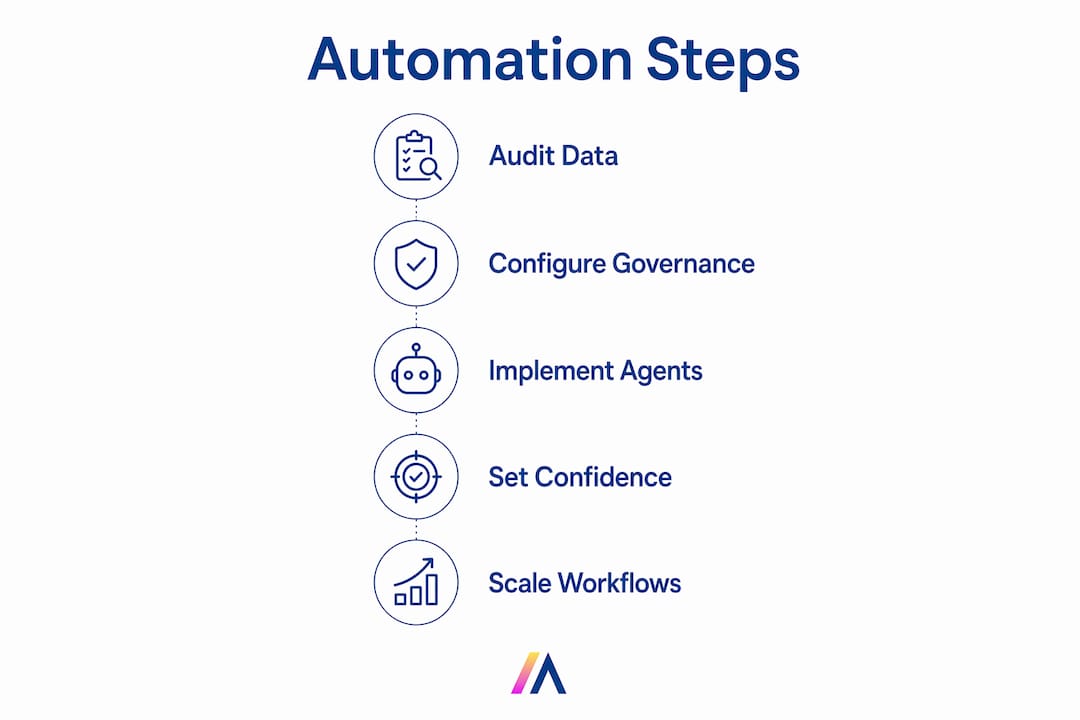
The foundation is clean data. Before any AI agent touches your Salesforce org, audit your existing records for missing fields, duplicate contacts, and inconsistent picklist values. A focused CRM data audit takes roughly 15 minutes per team and surfaces the gaps that will otherwise cause AI agents to write bad data faster than humans ever could. Garbage in, garbage out applies at machine speed.

Salesforce’s Model Context Protocol (MCP) is the industry standard for securing AI access to CRM data. MCP enforces permission boundaries and generates audit trails automatically, replacing the unstructured API calls that create compliance risk. Before you configure any AI agent, confirm that your Salesforce org has MCP enabled and that your role-based access controls (RBAC) reflect your actual data sensitivity tiers.
| Tool category | Role in automation |
|---|---|
| AI agent framework | Reads signals from email, calendar, and calls; writes structured data to Salesforce fields |
| Salesforce REST API | Executes field updates on standard and custom objects |
| Salesforce Flow | Triggers multi-step workflows after AI classification |
| MCP server | Enforces permissions and logs every AI action for audit |
| Integration connectors | Links Salesforce to Slack, Google Workspace, and SharePoint for cross-source data capture |
Your AI platform must connect to these layers natively. Platforms that require custom middleware for each integration add fragility at every joint. Hymalaia connects to over 50 enterprise tools, including Salesforce, Slack, and Google Workspace, without custom middleware, which matters when you are managing AI governance at scale.
Key prerequisites to confirm before you begin:
Deployment follows a clear sequence. Skipping steps creates hard-to-diagnose errors later, especially around field mapping and confidence scoring.
Use case examples show the range of what agents handle well. An agent monitoring your calendar creates a Salesforce activity record the moment a meeting ends, pulling attendees, duration, and a summary from the transcript. A lead enrichment agent reads inbound email, scores the lead against your ICP criteria, and populates the Lead Score and Industry fields without rep involvement. A sentiment tagging agent reads call recordings and updates the Opportunity Health field with a red, yellow, or green classification.
Pro Tip: Design your confidence thresholds by field sensitivity, not as a single org-wide setting. A 70% threshold is acceptable for updating a contact’s job title, but sensitive fields like Opportunity Amount or Close Date should require 95% confidence or a human approval step.
Over 1,400 enterprise customers use Gemini models within Salesforce Agentforce to automate complex CRM updates. That adoption level confirms that AI agent deployment in Salesforce is no longer experimental. It is a production-grade capability with a proven implementation path.
The most common failure mode is not a technical one. It is data quality. AI agents amplify whatever patterns exist in your Salesforce org. If your picklist values are inconsistent or your required fields are routinely skipped, agents will either fail silently or write incorrect values at scale.
Common issues and their fixes:
Pro Tip: Use event-driven triggers (webhooks) instead of scheduled batch jobs for CRM updates. Webhook-based triggers fire the moment a signal event occurs, keeping your Salesforce data current in real time rather than hours behind.
The draft-and-review model is the right default for sensitive deal data. Human review remains critical for high-value opportunities where a misclassified stage or an incorrect close date has direct revenue consequences. Automating the routine and reviewing the consequential is the correct division of labor.
Scaling requires moving from single-agent tasks to chained, multi-step workflows. Salesforce’s grid and batch processing capabilities let you build compound automations that handle complex, multi-record updates in a single execution cycle. A chained workflow might enrich a lead, score it, assign it to the right rep based on territory rules, and create a follow-up task, all triggered by one inbound email.
| Automation approach | Best use case | Key consideration |
|---|---|---|
| Event-driven (webhook) | Real-time field updates from emails and calls | Requires reliable webhook infrastructure |
| Batch processing | Bulk enrichment of existing records | Runs on schedule; data is not immediately current |
| Chained workflow | Multi-step processes across objects | Needs careful error handling at each chain link |
| Cross-system agent | Updates spanning Salesforce, Slack, and data lakes | Requires unified permission model across all systems |
Salesforce and Google Cloud now enable AI agents to execute multi-system processes without physically copying data between platforms. This zero-copy architecture is the right model for enterprises with strict data residency requirements. It keeps your Salesforce data in Salesforce while letting agents act on signals from Google Cloud, BigQuery, and other enterprise data lakes.
Governance does not shrink as you scale. It grows more important. Apply AI data security controls at the agent level, not just the platform level, so that each agent operates only within its defined scope. Role-based controls, field-level security, and MCP-enforced audit trails must extend to every new workflow you add.
Chaining prompt templates and invocable Salesforce actions lets you build personalized outreach directly from CRM data. An agent reads the updated opportunity record, selects the right email template based on deal stage and industry, and queues a draft for rep review. The rep sends it with one click. That is post-sale workflow automation running inside your existing Salesforce environment.
Automating CRM data entry in Salesforce with AI agents requires clean data, MCP-enforced governance, confidence-based guardrails, and a phased deployment that starts with draft-and-review before moving to auto-commit.
| Point | Details |
|---|---|
| Audit data before deployment | A 15-minute team audit surfaces the field gaps that cause AI agents to write bad data at scale. |
| Use MCP for secure AI access | Salesforce’s Model Context Protocol enforces permissions and generates audit trails for every agent action. |
| Set field-level confidence thresholds | Apply an 85% threshold for standard fields and require human approval for high-stakes fields like Close Date. |
| Start in draft-and-review mode | Let agents propose updates before auto-committing to build accuracy data and team trust. |
| Scale with chained workflows | Batch processing and chained invocable actions handle complex, multi-record automations across enterprise systems. |
I have worked with enterprise sales teams long enough to know that the automation conversation almost always starts in the wrong place. Teams focus on the AI model first and the governance layer last. That order gets reversed in practice, and it costs months of rework.
The teams that deploy successfully treat MCP configuration and RBAC setup as the first deliverable, not an afterthought. They also resist the temptation to automate everything at once. Starting with one high-volume, low-stakes task, like logging meeting activities, gives you real performance data before you touch opportunity stages or close dates.
The draft-and-review phase is not a temporary training wheel. For sensitive deals, it is the permanent operating model. I have seen organizations skip it in the name of efficiency and then spend weeks rebuilding rep trust after a batch of incorrect stage updates hit their pipeline report. The time saved by skipping review is never worth the time lost recovering from it.
Iterative deployment also gives you the data to justify expanding scope. When you can show leadership that your meeting capture agent has a 94% accuracy rate over 3,000 records, the case for automating lead enrichment writes itself. Let the results make the argument.
— Matthieu
Hymalaia is an enterprise AI agent platform built to automate complex workflows inside Salesforce and across your full enterprise stack.
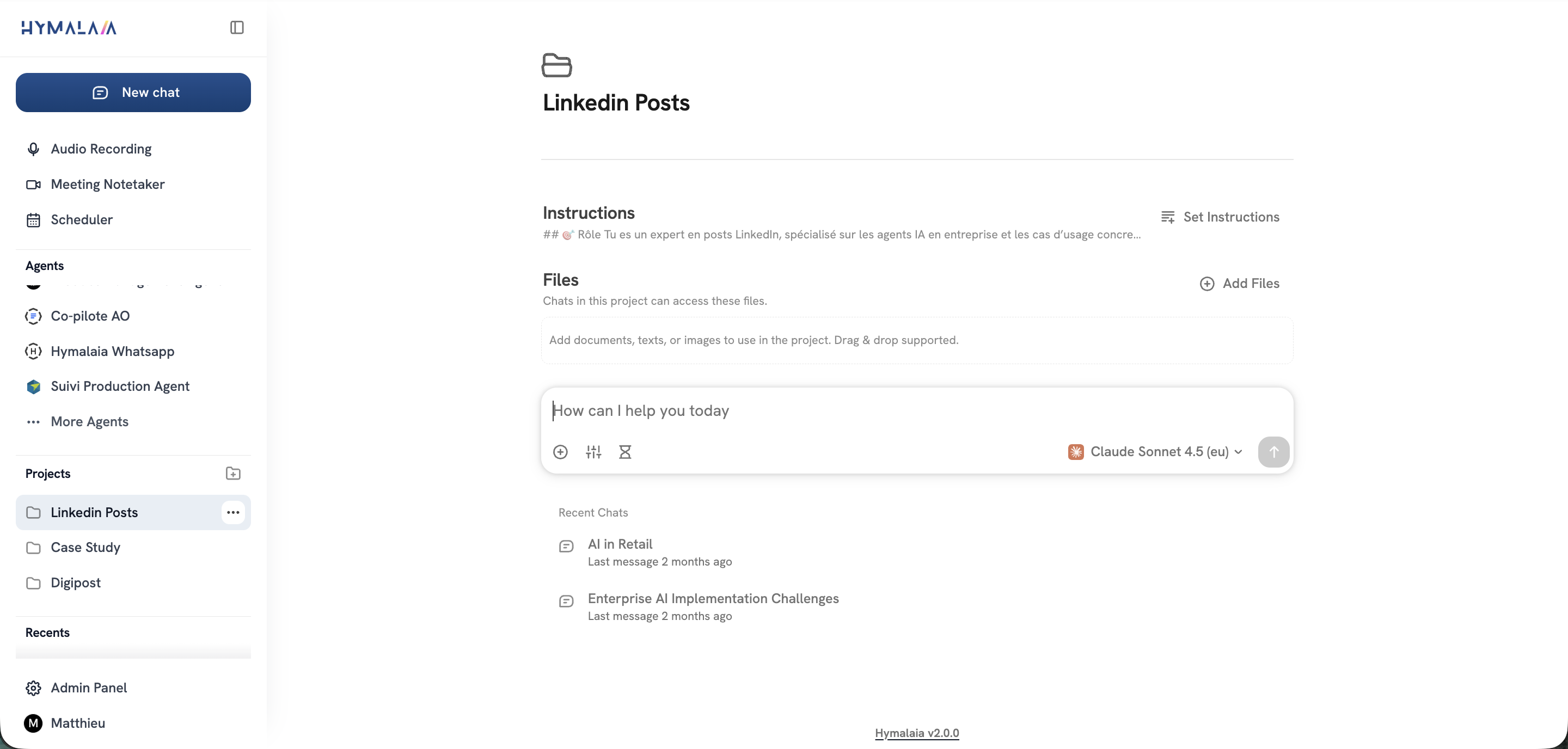
Hymalaia connects to Salesforce, Slack, Google Workspace, and over 50 other enterprise tools without custom middleware. Its agents operate within your existing RBAC and MCP governance frameworks, so every action is permissioned and logged. No-code workflow configuration means your sales ops team can build and adjust automations without engineering support. For teams ready to move beyond manual data entry, Hymalaia’s enterprise AI platform delivers governed, production-ready CRM automation at scale.
AI-driven CRM data entry automation uses autonomous agents to capture signals from emails, calls, and calendars and write structured data directly into CRM fields without manual input. In Salesforce, this runs through the REST API and Salesforce Flow for workflow execution.
Setup time depends on your org’s data quality and governance readiness. Teams that complete a data audit and configure MCP permissions first typically reach a working draft-and-review deployment within a few weeks.
An 85% confidence threshold is the commonly adopted standard for auto-committing standard field updates. High-stakes fields like Opportunity Amount or Close Date should require a higher threshold or a human approval step.
Headless AI agents that operate across Salesforce, Slack, email, and calendar systems eliminate silos by reading signals from every connected source. Headless agent architecture within a unified permission model keeps data consistent across all platforms.
Yes, when deployed through Salesforce’s Model Context Protocol. MCP enforces role-based permissions and generates a complete audit trail for every agent action, meeting the governance and compliance requirements of most enterprise environments.
